Your notes. Intelligently connected.
Bring your own AI. Sign in with ChatGPT or use your Claude API key.
Local files. No lock-in. Your data stays yours.
Available at release — Android in active beta
What is Mioru?
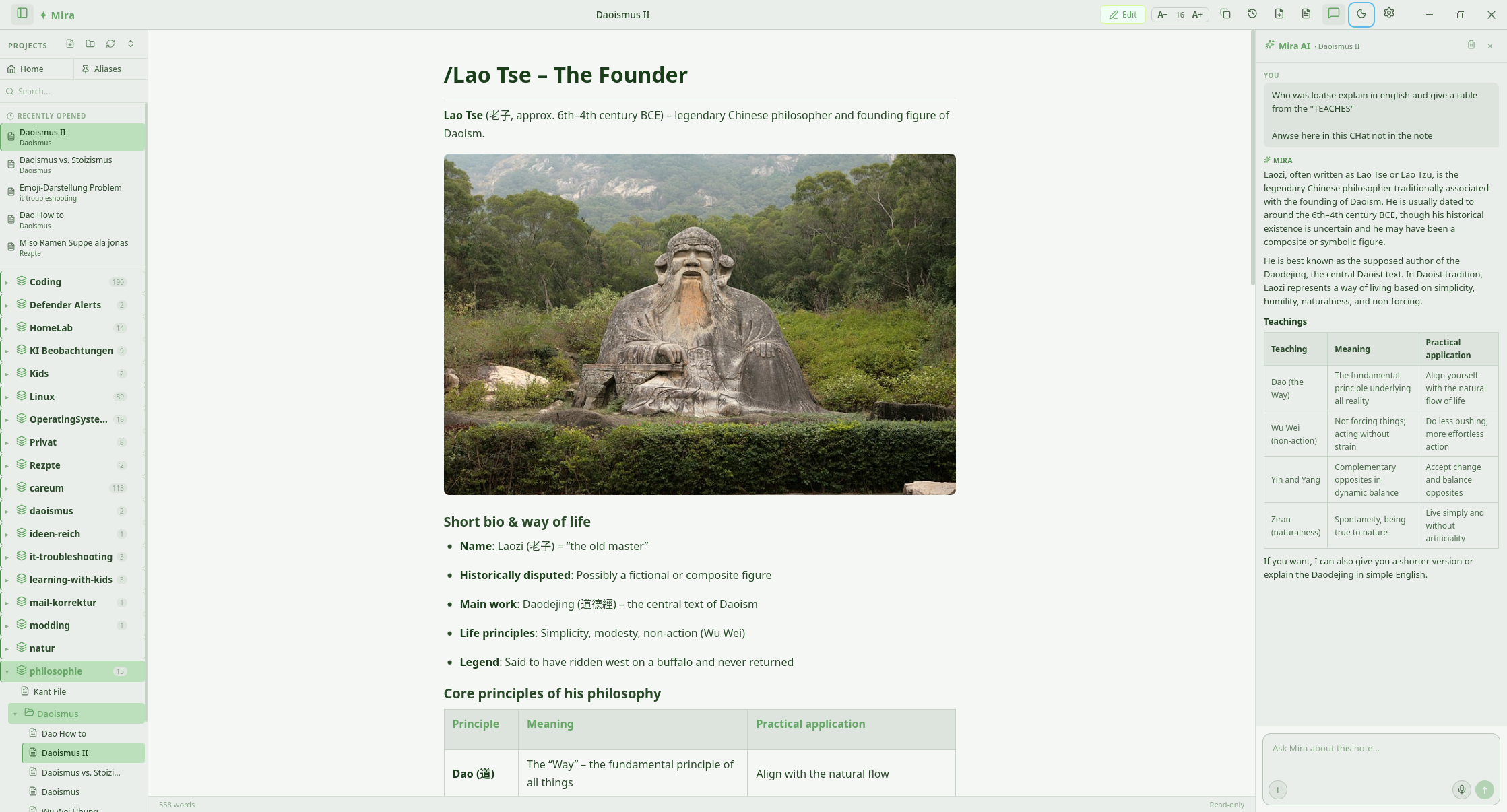
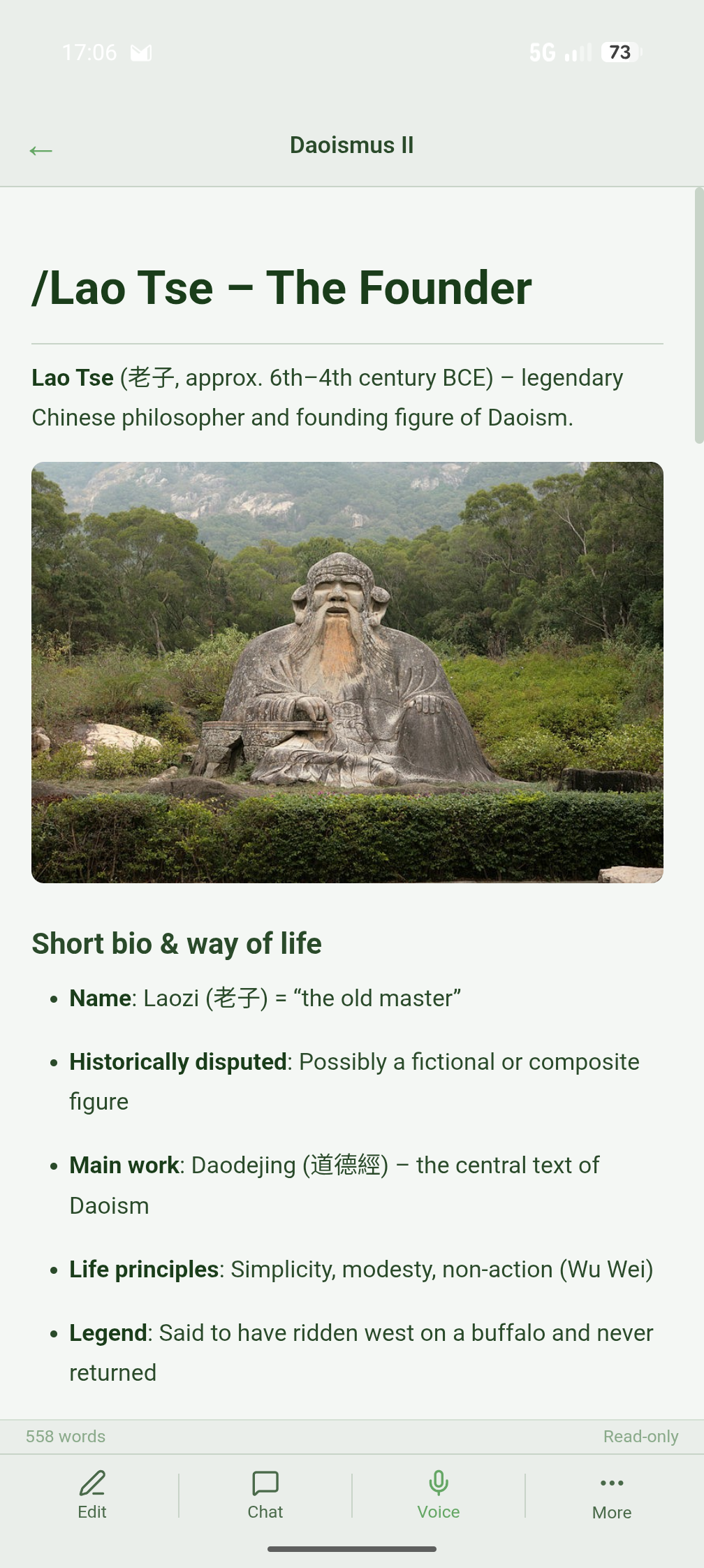
Mioru is where everything you want to remember lives. Meeting notes, project plans, shopping lists, music ideas, private thoughts — all in one place, always at your fingertips.
But Mioru does more than store. Your agent reads your context, dives into your topics, challenges your ideas. Through voice or text, you discuss with your notes — and discover insights you didn't know you had. Together, you create notes worth reading.
Why Mioru?
Three ways to work with your agent
Give instructions
Tell your agent what to do — create a note, restructure a project, research a topic. Via text or voice.
Capture thoughts
A quick thought? Dictate it. Mioru saves it to your thought capture and structures it later. No friction.
Discuss your notes
Talk with your notes. Challenge ideas, deepen topics, discover connections. Your knowledge grows through conversation.
How your agent works
Capture
Spontaneous thoughts, meeting notes, project plans, shopping lists — bring it in however it comes.
Organize
Your agent recognizes where things belong — structuring, linking, building overviews from your knowledge.
Deepen
Discuss, reflect, discover connections. Notes grow through dialogue into readable, lasting knowledge.
Your AI tools, connected
You already use AI tools for research and discussion. Through MCP, they can write directly into Mioru. Say "save the summary in Mioru" — and it lands in your knowledge space as a permanent, searchable note.
AI Provider
Connect the AI you already use. ChatGPT sign-in or your Claude API key — no Mioru subscription, ever.
Sign in with ChatGPT
Have a ChatGPT Plus or Pro subscription? Sign in with one click — no API key, no setup.
Plus · Pro · Team
Claude API Key
Prefer Anthropic's Claude? Add your API key — full control over usage, billing, and model selection.
Sonnet 4.6 · Haiku 4.5
Your data stays yours
All AI processing runs directly between your desktop and the AI provider. Mioru never sees your notes.
Local · Private · Secure
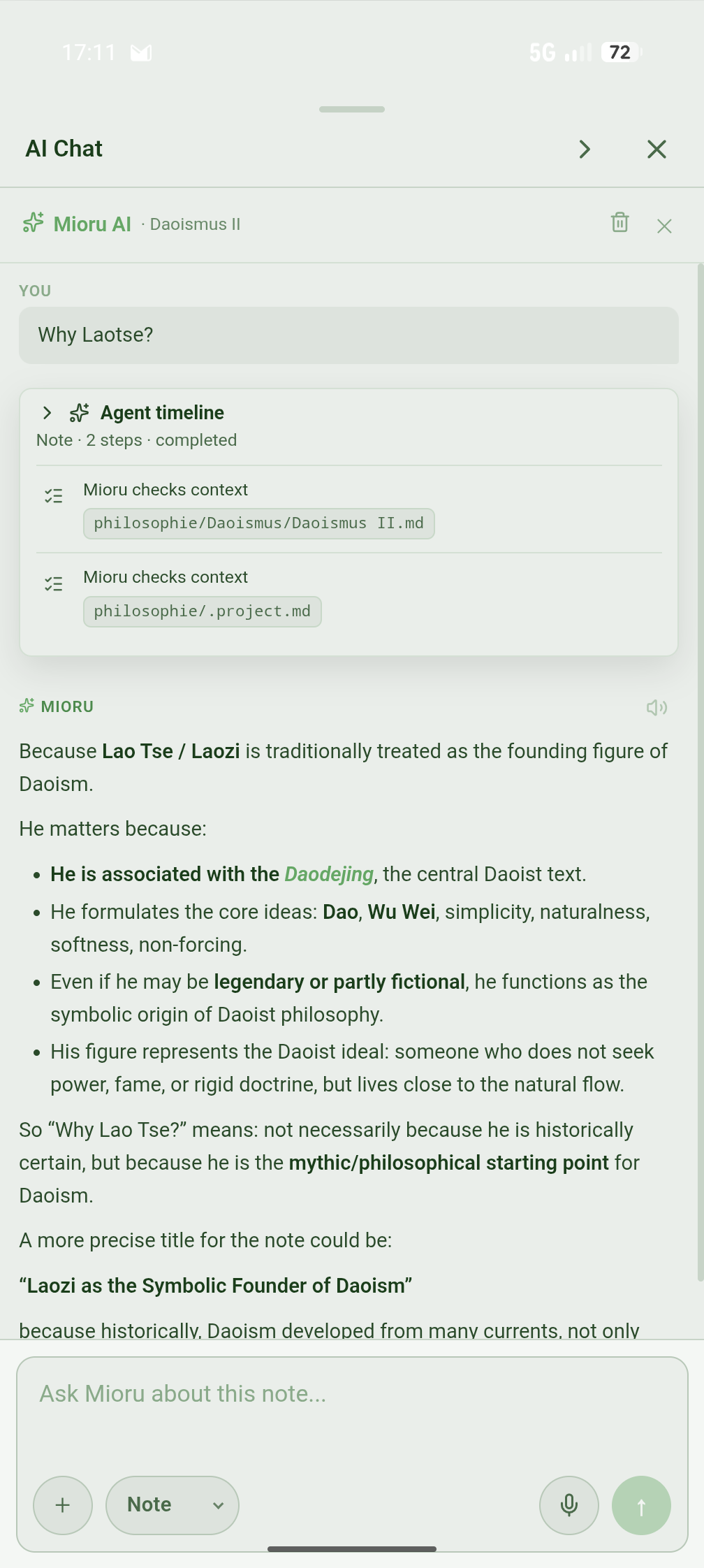
Mioru opens a chat panel right next to every note — and reads your context automatically. No copy-paste, no context loss. Just ask, and Mioru acts directly in the app. Works with ChatGPT and Claude — same features, your choice.
Most AI tools forget everything after the chat. Mioru doesn't. Every project has its own memory — background, goals, aliases — automatically included in every conversation with Mioru. Write once what Mioru should know. The AI handles the rest.
Project memory · Note context · Vault index — Mioru sees the full picture.
Switch between edit and read mode with Ctrl+E. Full Markdown with live preview, syntax highlighting in 297 languages, tables, checklists, and code blocks.
WYSIWYG-style editing in a pure Markdown file. No weird formats. Just clean, portable text.
Press Ctrl+K to instantly find any note with fuzzy search — no AI needed. Or switch to AI mode and let the AI answer questions, summarize, or create notes from your vault context.
Your hands never leave the keyboard. Think, type, act — all in one flow.
Fuzzy Search
Find anything instantly — local, no AI required
AI-Powered
Ask anything — Mioru answers with full vault context
Before every AI change, Mioru automatically creates a backup. Browse through the last 5 versions and restore any of them with a single click.
Experiment fearlessly. Your writing is safe, always.
If you're already working in Claude Code or another AI tool, you can talk to your Mioru notes directly from there. Read, create, search, move — without opening the app. No extra window, no copy-paste. Just ask.
Works where you work
Talk to your notes from Claude Code, Cursor, or any MCP tool — 15 operations, no app switching.
Stays on your machine
The connection runs locally. Your notes never touch a third-party server.
One setup, any client
Configure once. Works with Claude Code and Claude Desktop — and every MCP client that follows.
Architecture
Mioru is built in Rust — not because it's trendy, but because it's the right choice for a local, secure desktop tool. No Electron, no hidden browser, no RAM hunger.
Pricing
No subscription. No account. No cloud.
You buy the binary — Mioru runs locally, forever.
9 CHF supports ongoing development: new features, macOS, mobile. A fair one-time license for a tool you can rely on.
Can't afford the 9 CHF right now? Just get in touch.
No form, no questions. → [email protected]
Roadmap
Desktop first. The foundation ships when it's ready — then we expand.
Desktop
Windows · Linux
The full Mioru experience — local, fast, AI-powered. Release with v1.0.
macOS
Apple Silicon · Intel
Ships alongside Desktop. Same codebase, same experience.
Mobile
Android Beta · iOS Coming Soon
Voice capture, quick notes, seamless Nextcloud sync. Shared codebase with Desktop.
Privacy
No tracking, no account, no cloud. Mioru runs locally — the way it should be.
Plain Markdown
All notes as .md on your disk — portable, readable forever.
No account
No login, no email, no registration required.
No subscription, no lock-in
Buy once. Your data belongs to you — today, tomorrow, always.
AI direct to provider
All AI requests go directly to your chosen provider — Mioru is never in between.
Mioru sees nothing
No telemetry, no note analysis, no API key logs.
Platforms coming
Windows & Linux today — macOS & Mobile follow. Same philosophy, everywhere.
Transparency note: When you use AI features, the relevant content of your note is sent directly to your chosen AI provider — ChatGPT, Claude, or others. Mioru itself never stores, analyzes, or transmits your data. You decide which provider you trust.
Mioru is in active development. Windows and Linux builds drop first.